
How your child learns with COPRIMES
Each subject starts with a baseline test, then your child works through lessons in five steps. You follow along in your own parent app.
Getting started
You set everything up from your parent account. Your child only has to sign in.
Create your parent account
It’s yours, separate from your child’s, and you manage everything from it.
Set your child’s login
Choose a login ID and password. Your child uses them to sign in to their own app.
Choose country, curriculum and grade
Any grade from kindergarten to grade 10. Math follows the curriculum you choose.
Start the free trial
Pick monthly or annual billing. The first 7 days are free, and a card is required. See pricing
Each subject starts with a baseline test
The test adapts to your child’s answers to find where they are in that subject.
One test per subject
Math, Logic and English each have their own baseline test, so your child can be ahead in one and catching up in another.
A PDF report for you
Each test gives you a PDF report. You can open it any time from Reports in the parent app.
A learning journey for your child
Your child’s lessons are set from the results. Your academic counselor can change them when you ask, or suggest changes.
Every lesson has five steps
The same five, in Math, Logic and English.
One idea at a time
Lessons explain one idea in short blocks. When your child is stuck, O Tutor answers with a question or a hint, never just the answer.
- Short blocks, one idea in each
- Questions between blocks check your child understood
- A scribble layer for working things out on the screen

New questions on the same idea
Practice worksheets come at different depths, so your child uses the idea again and again. O Tutor helps here too.
- Two tries at every question
- Each worksheet is timed
- An analysis screen after every worksheet

Games built on the lesson
Play turns the lesson into a game, so your child uses what they learned in a new way. What the game asks for depends on the lesson.
- Built on what the lesson needs
- In fact-fluency lessons, like times tables, a gamified drill for speed and accuracy
- In other lessons, a quick way to apply the idea

A timed test on the lesson
Review is how a lesson gets mastered. Afterward, your child sees the test question by question, with the time each one took.
- Opens once half the lesson’s Practice worksheets are done
- Timed, with tab switches counted and two pauses allowed
- A score above the pass mark masters the lesson; otherwise there’s a new version of the test

A revision after 15 days
Retain brings a mastered lesson back as a revision test, timed like Review, to check that it stuck.
- Opens 15 days after the lesson is mastered
- Optional
- A low score never takes away Mastered

Rewards come from the work, not the screen time
Your child earns coins and XP, keeps streaks, moves up levels, climbs leaderboards and collects badges. All of it comes from getting answers right and finishing work, never from minutes spent in the app.
What you see as a parent
You get your own app. It shows each child’s week, every lesson score and their reports, and it’s where you talk to O Tutor and your academic counselor.
See the parent app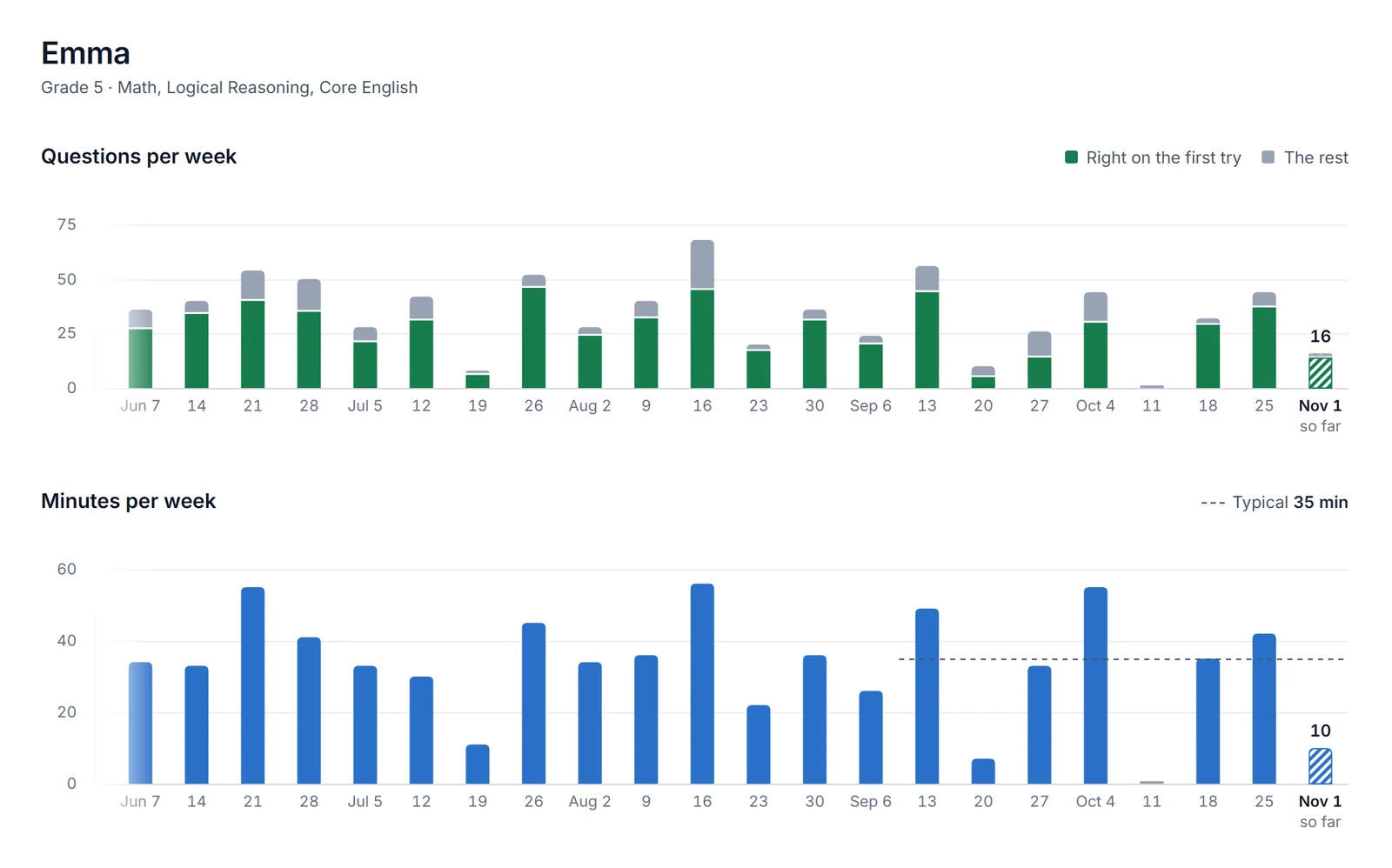
Try COPRIMES free for 7 days


Card required. Cancel before the trial ends and you won’t be charged.